 Barnam
 features
Everything Barnam does today, group by group, with screenshots.
Loads and waybills
7 itemsFrom the moment the truck arrives to the end of the load: every load has its own number and every weight and cost is recorded, so whatever you settle with the owner is already in the app.
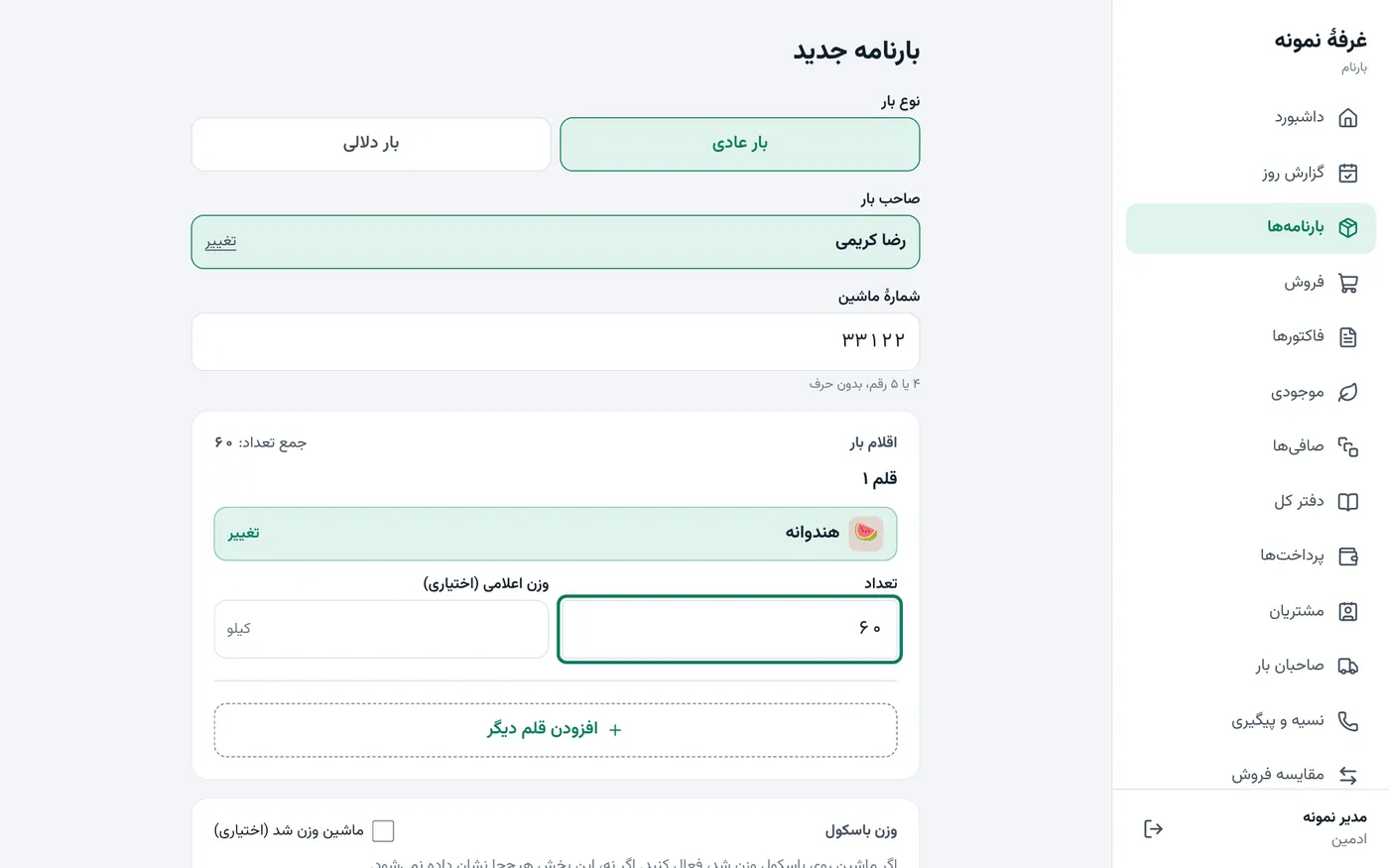
- Waybill with load owner, truck number and several items
- Automatic waybill numbering
- Weighbridge weight (full and empty) compared with the item weights
- Load costs: unloading, labour, transport and custom costs; cancellable with a reason
- Spoilage entries that reduce stock
- Regular loads with a commission rate and broker loads with a purchase price
- A4 waybill printout with a signature line
Sales and invoices
7 itemsFast, error-proof sales at the scale: every invoice amount is also written in words and it cannot be saved twice.
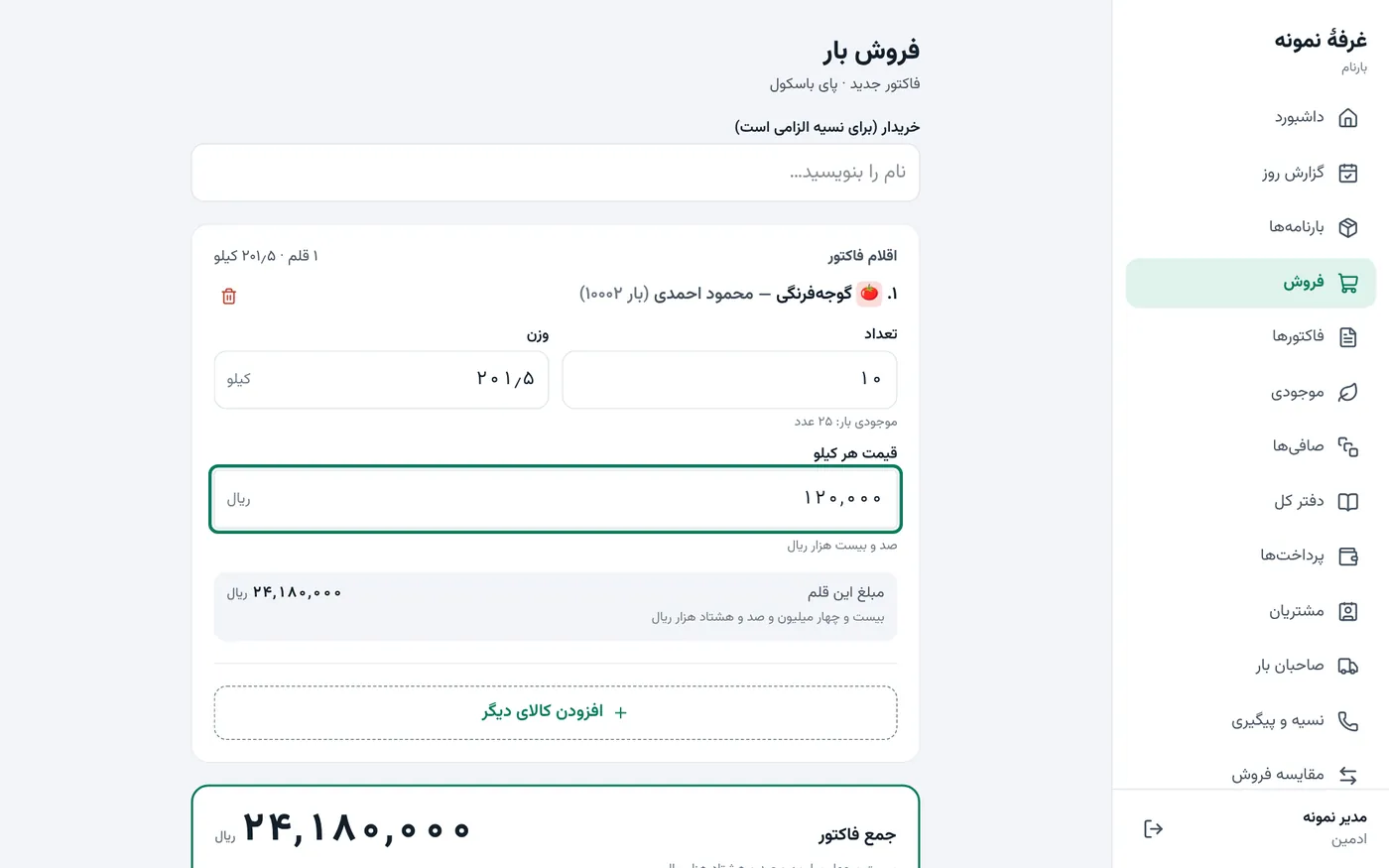
- Multi-item invoices; weight with one decimal digit and price per kg
- The amount in words under every money field
- Cash, credit or mixed payment; cash by notes, card terminal or transfer (entered manually)
- No duplicate invoice on a double click or a network drop
- Unfinished invoices block settlement until they are closed
- Printed receipt
- A touch sales screen for 360×640 card terminals with a dedicated number pad
Credit and money
6 itemsCredit does not slip: every credit sale has a due date, overdue ones are listed together, and money you receive goes to the oldest debt on its own.
- An account for every buyer and load owner with full movement
- Receiving money from a customer, allocated automatically to the oldest debt
- Overpayment becomes a credit; no rial goes missing
- Credit due dates, an overdue list and a collector sheet (print and Excel)
- Payments to the load owner and advances
- A queue of debt and reminder SMS with fixed text
Settlement
5 itemsThe stall's most important moment: one button lays out the sales table, commission and costs and writes the net amount in words. After saving it is final; corrections only by adjustment entry.
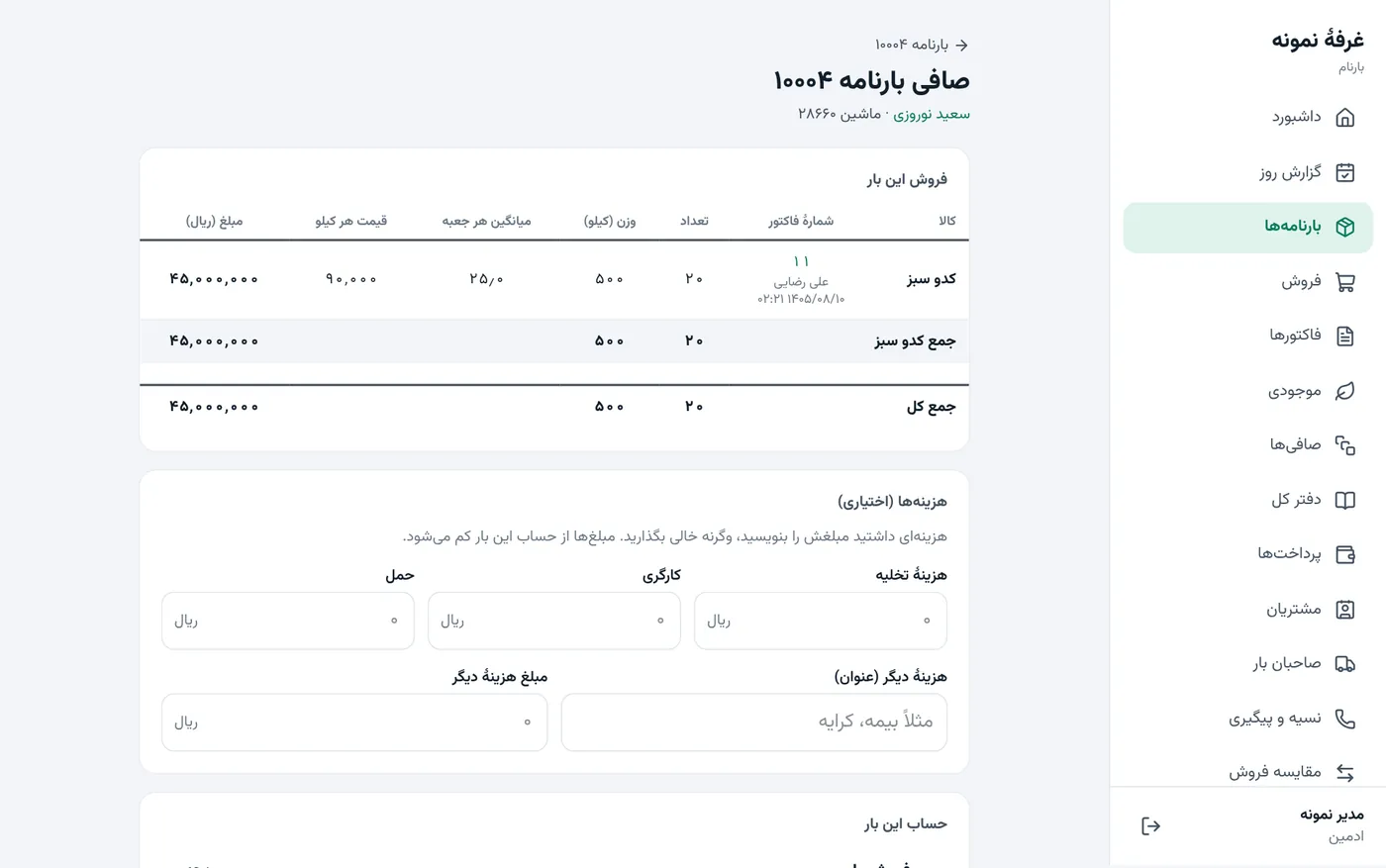
- Automatic settlement: sales minus commission and costs
- Broker-load settlement: profit or loss and the shares
- The figure you saw is confirmed before saving; the app checks it with its own calculation
- Printed settlement slip
- After settlement, changes only by adjustment entry; above a limit a second admin approves
Reports
6 itemsThe books are ready at night: the day report, the general ledger and sales per seller, with real Excel and PDF export.
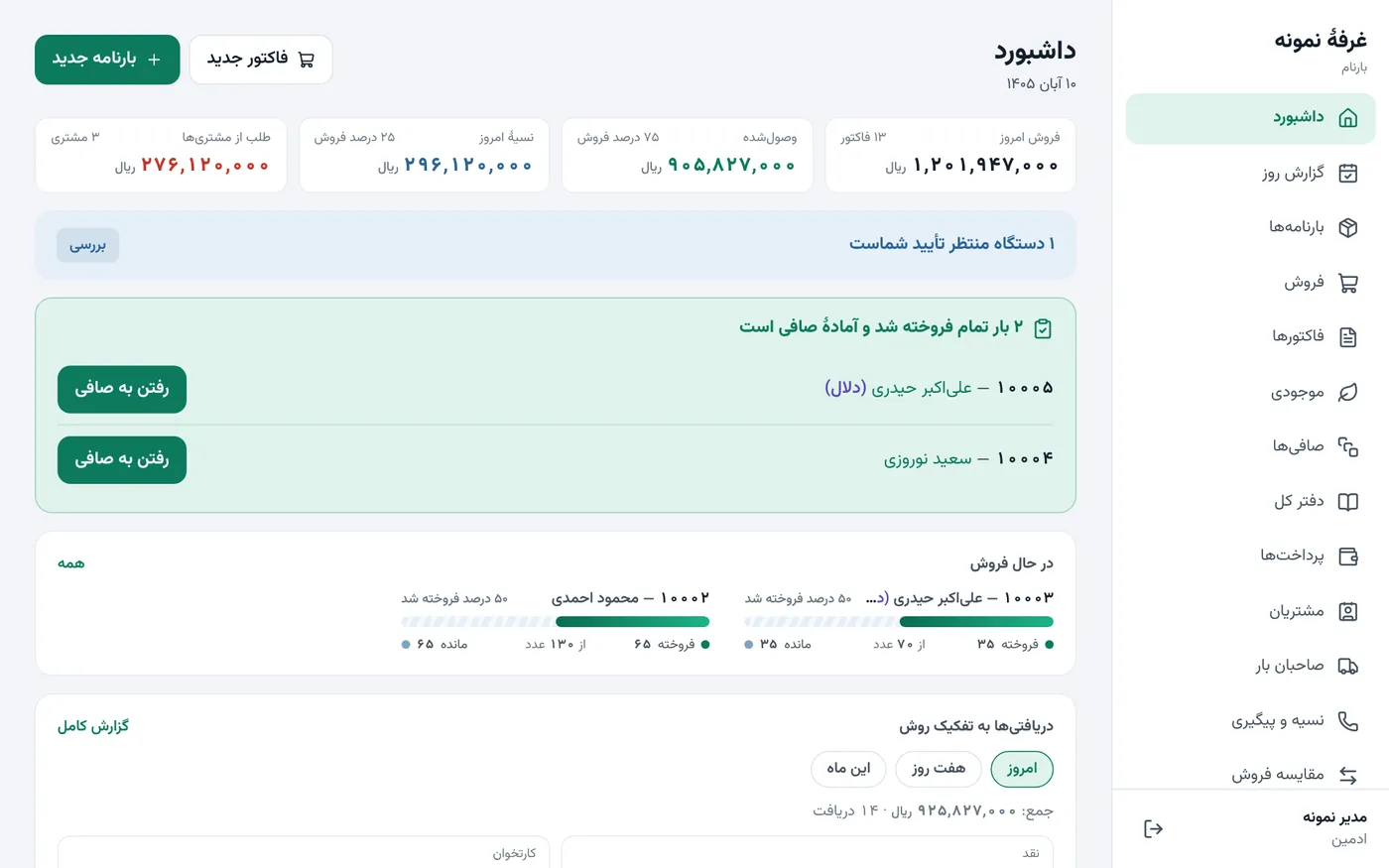
- Day report compared with the previous day
- General ledger (one row per waybill) by arrival day or settlement day
- Sales per seller and per item; compare sales of one item
- Stock of loads
- Quick ranges: today, yesterday, this week, last week, this month, last month, this year
- Real Excel and PDF export
Users and security
6 itemsEveryone sees only what they need: a seller sees only their own invoices and a new device cannot sign in until the admin approves it.
- Admin and seller roles; a seller sees only their own invoices
- Admin approval of new devices; blocking a device
- Deactivating a user takes effect at once
- Temporary lock after wrong passwords
- Activity log: who did what and when
- A separate database for every stall
Ease of use
4 itemsRuns on phones, computers and touch terminals. The touch sales screen has eight steps, each with one job.

- Fully Persian, right-to-left, with the Persian calendar
- Persian or English digits accepted in input
- Installs on phones and computers like an app (PWA)
- Test data and clearing it, then an irreversible "Official start"
Nothing found. Try another word.
A demo on your own load and invoice
Let us walk one real load from arrival to settlement together. The demo is free of obligation and uses sample data.