Barnam
English
Request a demo
FeaturesWho it is forPlansSecuritySupportContact
فارسیEnglishالعربية
Sign inRequest a demo

Every load,to the last rial.

The ledger for your produce stall, from load arrival to the final settlement.

Change the numbers
Settlement, load 10001Example
Commission rate
Total sales of the load
Stall commission (%)
Unloading cost
Net settlement, due to the load owner
rial

A working day

Three stages: arrival, sales, settlement

What you do today with a book and a calculator is exactly these three stages. Barnam adds none; it only keeps the accounts of each.

1

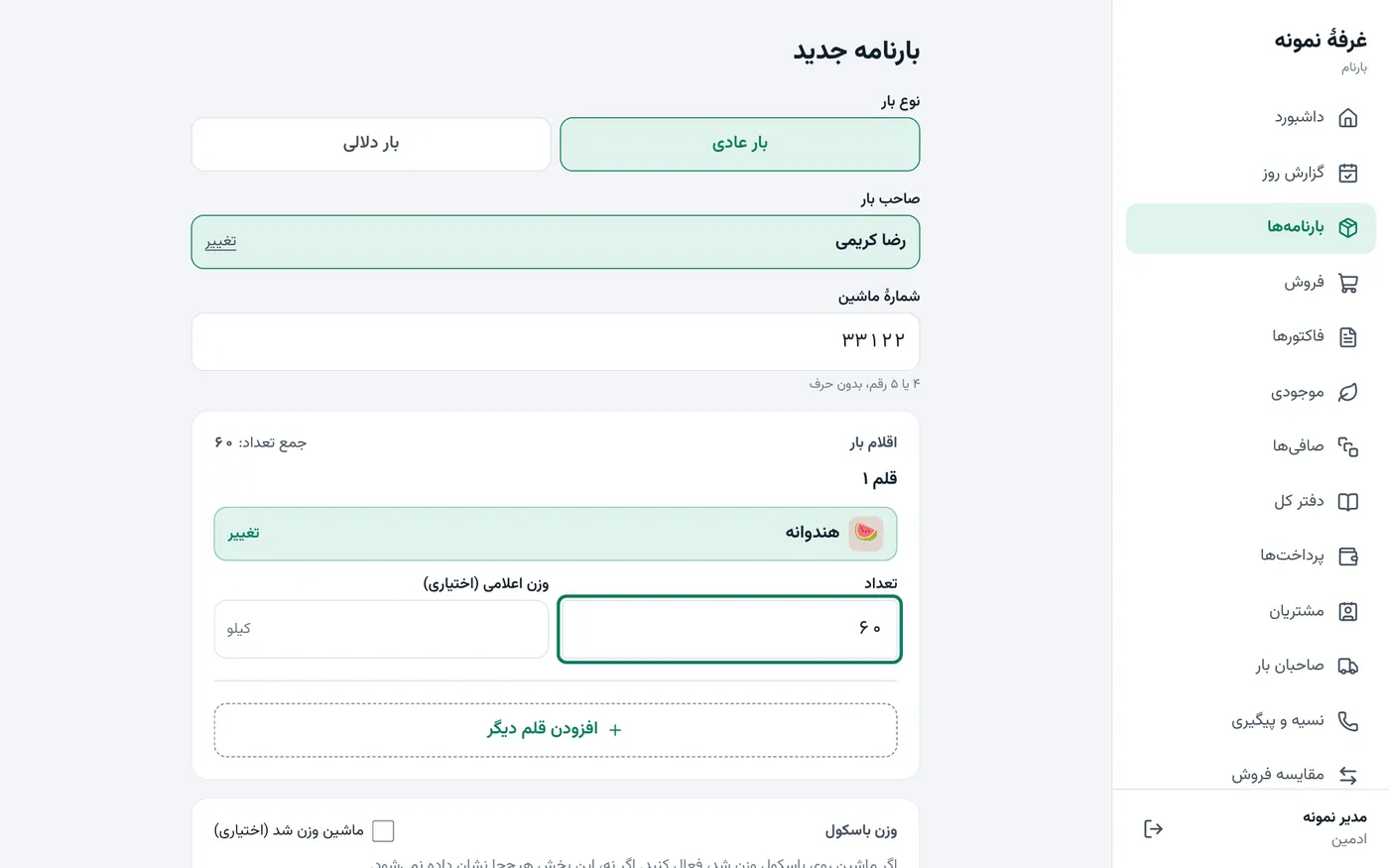
Arrival: a waybill with its own number

The truck arrives; you enter the load owner, the truck number and the items. The load gets a waybill number and an A4 printout with a signature line is ready.

  • Regular load with a commission rate, or a broker load with a purchase price
  • Weighbridge weight, unloading and labour costs, spoilage
  • Weights take one decimal digit; there is no silent rounding
app.barnam.ir
New waybill form with load owner, truck and items
2

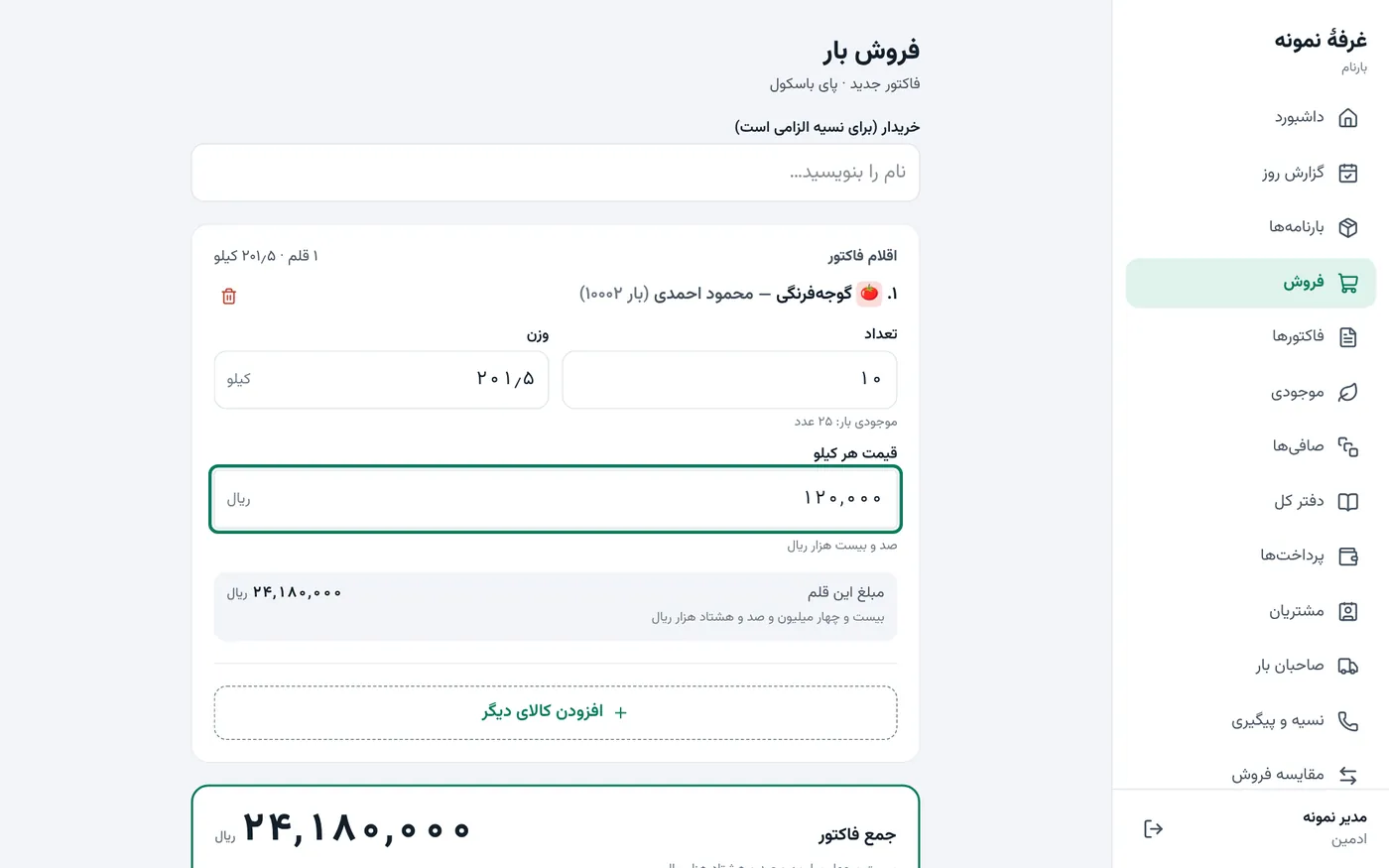
Sales: the invoice at the scale

Item, count, weight and price per kg; the amount is built on the spot and written in words below it. Cash, credit or a mix.

  • Multi-item invoices and printed receipts
  • Credit with a due date and a buyer number
  • A separate touch screen for the card terminal and the phone at the scale
app.barnam.ir
Sales screen with one item filled in: 10 crates, 201.5 kg
3

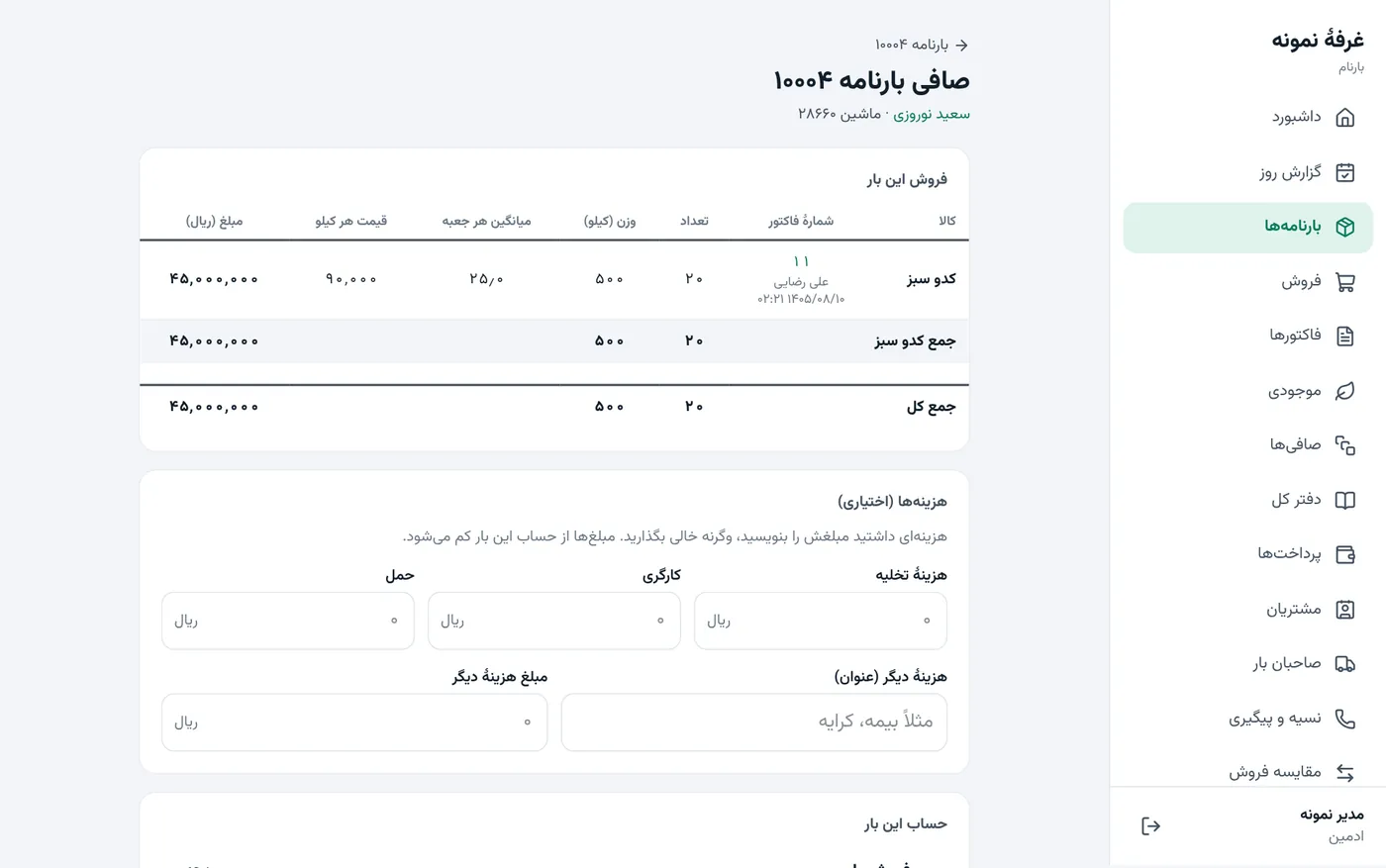
Settlement: the final account with the owner

When the load is sold out, Barnam lays out the sales table, subtracts commission and costs, and writes the net amount in words. After saving, the settlement is final.

  • Broker load: profit or loss and the shares are calculated for you
  • Advances you gave are deducted automatically
  • Corrections only by adjustment entry; the original stays
app.barnam.ir
Load settlement screen with the sales table and net amount
app.barnam.ir
New waybill form with load owner, truck and items
app.barnam.ir
Sales screen with one item filled in: 10 crates, 201.5 kg
app.barnam.ir
Load settlement screen with the sales table and net amount

The interface is shown in Persian (right-to-left).

Paper ledger vs Barnam

Your own ledger, but it keeps the accounts itself

Whatever has been a headache in the paper ledger has one clear answer here.

On paper
In Barnam
Settling a load
Several slips added on a calculator, then an argument about the total
One button: sales table, commission, costs and the net amount in words; printable slip ready
Credit sales
In your head and in the margin; the due date slips
Every credit sale has a name, amount and due date; overdue list and collector sheet
A wrong zero
Found weeks later in the book
The amount is written in words under every figure, so the slip is seen at once
Staff access
Whoever picks up the book sees everything
Sellers see only their own invoices and stock; buying prices and cash stay with the admin
Corrections
Crossing out and correction fluid; no trace of the original
An adjustment entry; the original and the correction both stay
End of day
Hours of adding up slips
The day report is ready; export to Excel and PDF
Trust

Money accounts must be dependable

The main accounting rules are locked in the database itself, not only in the app. So even if something goes wrong elsewhere, the books do not break.

The database keeps the books

Debits equal credits and a closed invoice cannot be edited; these are constraints of the database itself.

Every stall has its own database

Each stall has a separate database and credentials; one customer's mistake never reaches another.

No rial goes missing

Money is stored as a whole number of rials, not a fraction. There is no silent rounding.

A history nobody can alter

The activity log is chained and a nightly check verifies it is intact.

Unknown devices cannot sign in

Even if someone knows the password, a new device must be approved by the admin.

All security and trust principles

Getting started

From demo to real work in three steps

  1. 1Demo

    We walk one sample load together, from arrival to settlement. No obligation.

  2. 2Your stall

    We set up your stall and go through the app with you.

  3. 3Official start

    When you are comfortable, one button starts real work.

Request an in-person demo

FAQ

Frequently asked questions

Who is Barnam for?

Wholesale fruit-and-vegetable stalls that sell on behalf of load owners and take a commission (regular loads), or sell a broker's load and split profit and loss (broker loads).

Which devices does it run on?

In the browser on phones (Android and iPhone), computers and touch card terminals that have a browser. It can be installed like an app. A separate big-button touch sales screen is built for small terminal screens.

What happens if the internet drops?

Barnam needs a connection to record and show accounts, and deliberately never shows stale numbers. Whatever was saved stays saved, and every save either completes or does not happen at all, so no half-finished invoice is left behind.

Can other stalls see my data?

No. Every stall has its own database and its own credentials. Each new device must be approved by your admin.

What if we make a mistake?

No financial record is ever deleted. Corrections are made with an adjustment entry; the original and the correction both stay in the activity log. Above a configured limit, adjusting a settlement needs a second admin.

All questions

A demo on your own load and invoice

Let us walk one real load from arrival to settlement together. The demo is free of obligation and uses sample data.

Request a demoSign in